
Testa Wetail Shipping riskfritt!
Modern frakttjänst. Designad för WooCommerce.
Sync WooCommerce Products to Stripe
WooCommerce Stripe Subscription supports both Simple, digital, digital and Variable product. Start to set up the product as any other product.
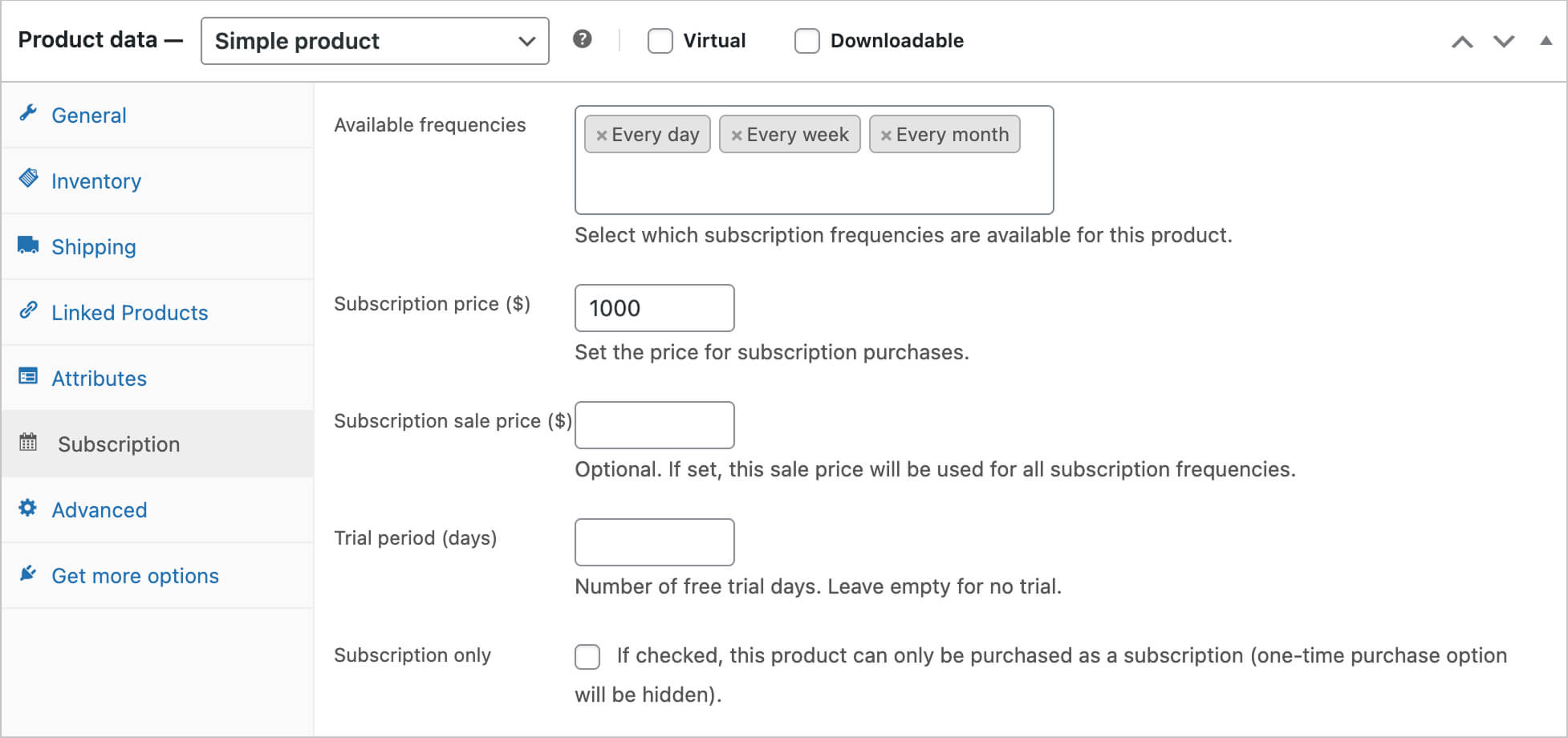
Configure Subscription on Simple products
1. To set up the Subscription, go to → tab Subscriptions
2. Set: Frequencies, and add Subscription price, optional Subscription sale price, optional Trial days
3. Enable “Subscription only” if the product must be subscription-only
4. Click “Update” to save the product
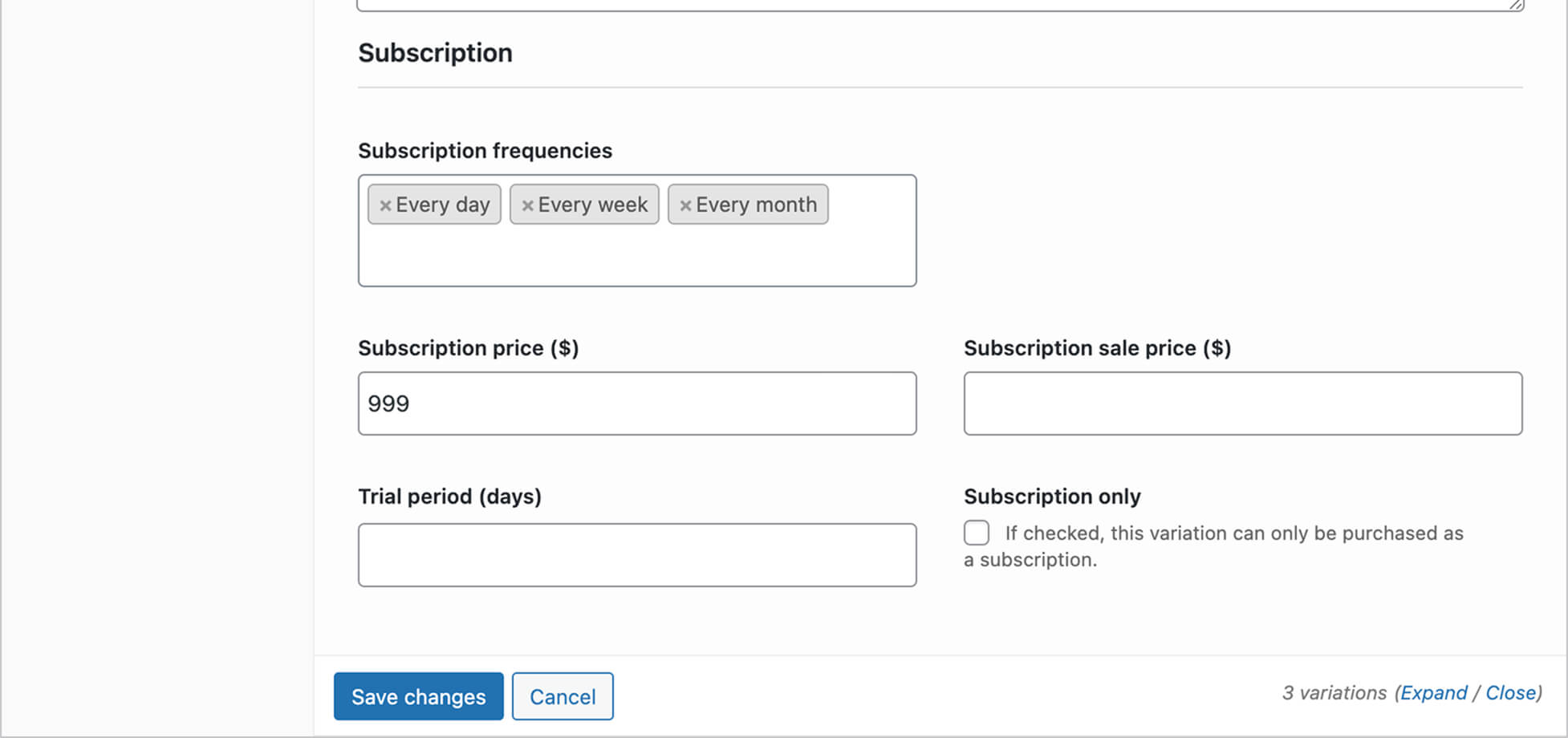
Configure subscription Variable products
1. Configure the same fields for each variation (variation settings override the product-level settings)
2. Click “Update” to save the product
Sync products to Stripe
Once the product is configured and ready for publish you must first sync the product to Stripe.
- Save the product first before your sync it.
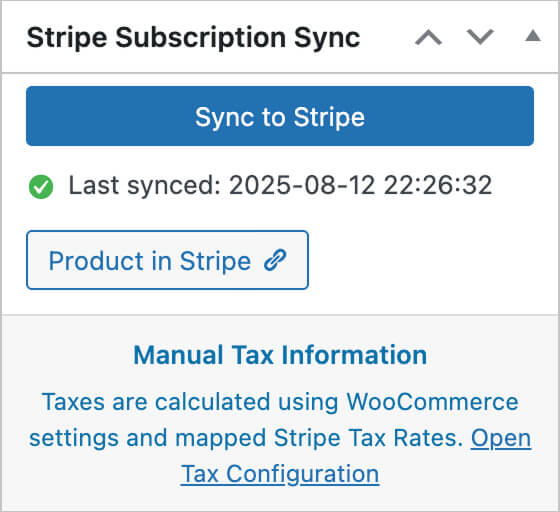
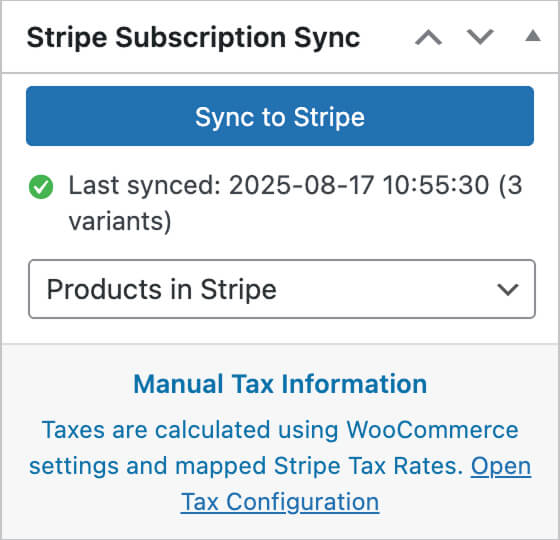
- Go to the Meta box Stripe Subscription Sync
- Click the blue button Sync to Stripe
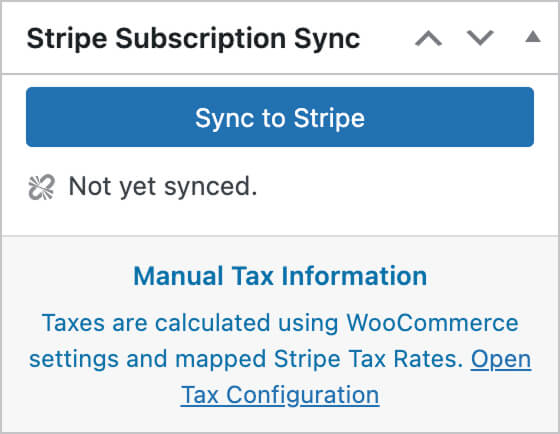
Once the product is Synced to Stripe the box will appear like this
Övriga tjänster
-
Utveckla er e-handel
Vi bygger allt från specialplugins till premium e-handelsplatser
-
Premium hosting
Med modern serverstruktur maxar du din e-handels hastighet
-
Komplexa integrationsflöden
Wetail iPaas aggregerar data och hanterar komplexa integrationer mellan flera olika system